
Everything You Need,
All in One Place
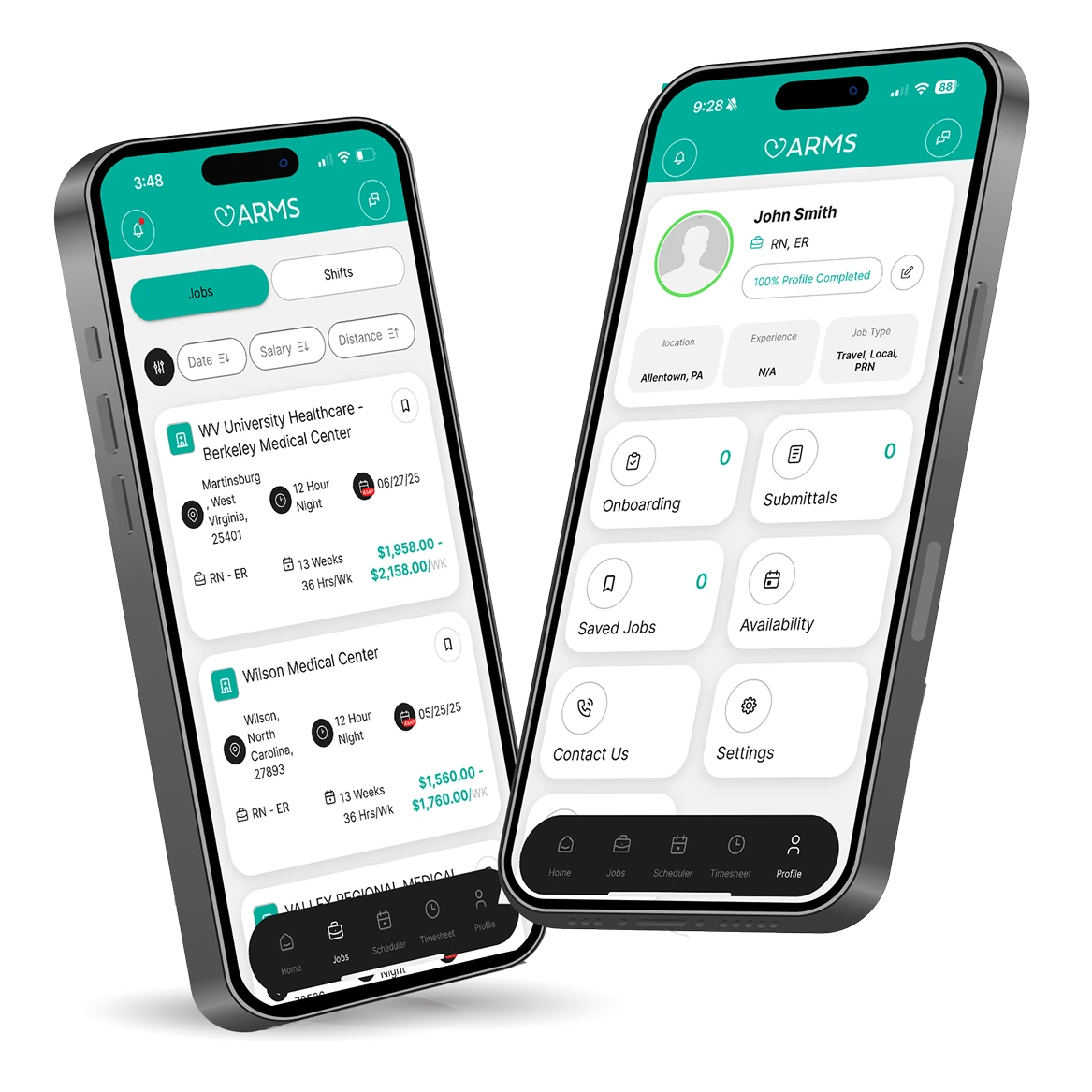
Take control of your travel healthcare career with
the ARMStaffing App.


Find Jobs Fast
Set your preferences—specialty, shift, location—and get matched with jobs that fit instantly.
Manage Timesheets with Ease
Snap a photo, upload, and track your timesheets directly from your phone.
Keep Your Profile Up to Date
Easily manage your employment history, licenses, certifications, references, and more.
Frequently Asked Questions
The ARMS mobile app makes everything easier—from applying to jobs and submitting timesheets to updating your profile. It’s the fastest way to stay connected with your recruiter, track your assignments, and manage your work all in one place.
Yes! Use your current LEAP credentials. Don’t have an account? Tap “Create Account” on the home screen.
Your recruiter is notified and will contact you. New to ARMS? A recruiter will be matched to you and reach out soon.
Under timesheets you are able to view your past successful uploads for the previous weeks. If you’re unable to view a recently submitted timesheet, please send in your timesheet via email to payroll@armstaffing.com.
Go to the top-left menu in your LEAP profile, then tap “Refer a Friend” under “Quick Links.” You can also find this form on the home tab under the “My Profile” section.
Email information@armstaffing.com or contact your recruiter for help with login or password reset.
Email information@armstaffing.com with a description and screenshots if possible.